> ## Documentation Index
> Fetch the complete documentation index at: https://dev.chief.bot/llms.txt
> Use this file to discover all available pages before exploring further.
# Actions
> Automate recurring work — run a prompt on a schedule or on new content, and email the result.
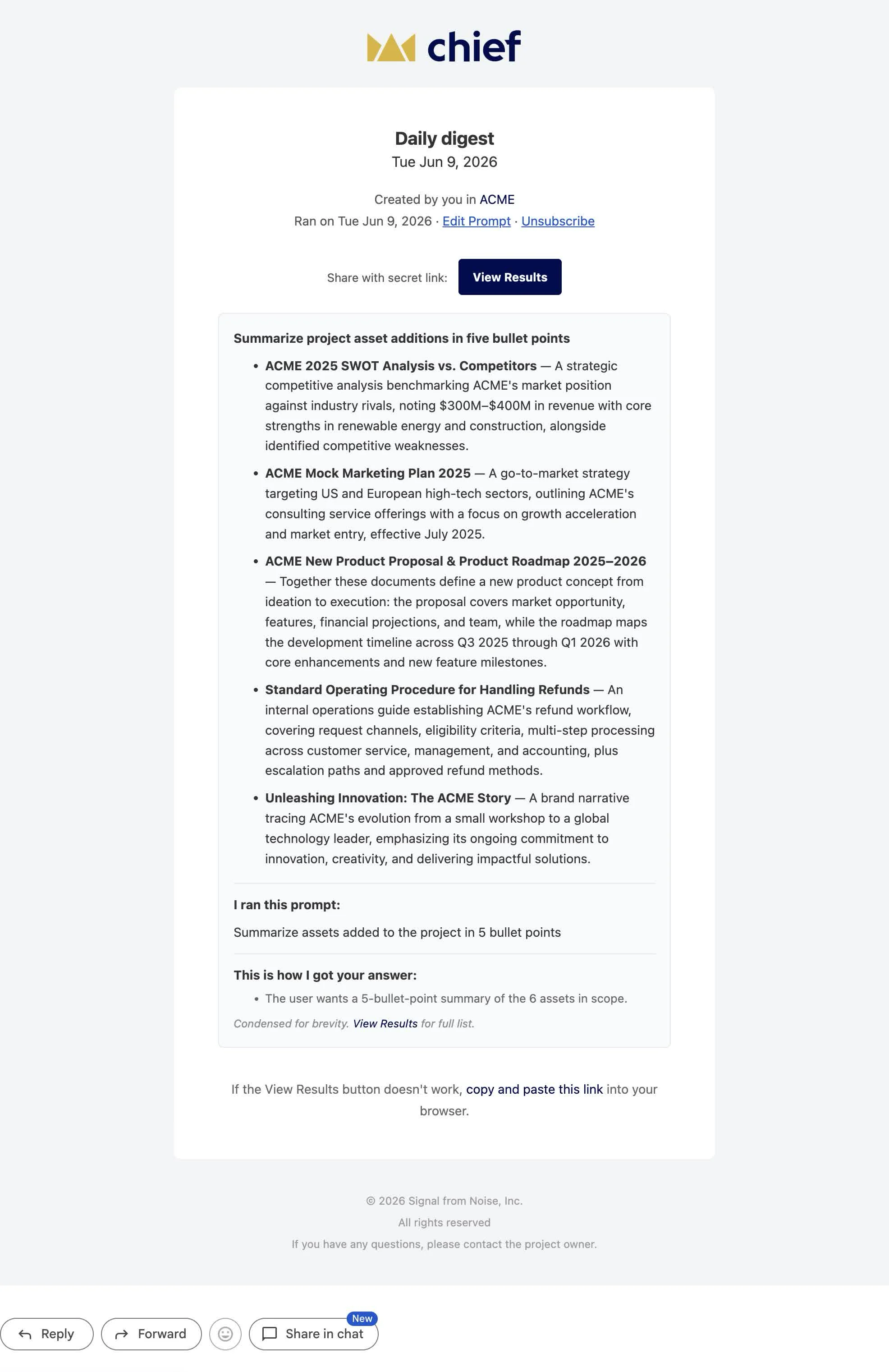
Actions turn a prompt you'd otherwise run by hand into automation Chief runs for you. Instead of
remembering to ask "what landed this week?" every Monday, an action asks it on a schedule and
emails you the answer. Instead of triaging uploads as they arrive, an action does it the moment
a file lands. The work happens on Chief's side — there's no cron server, queue, or worker for
you to operate.
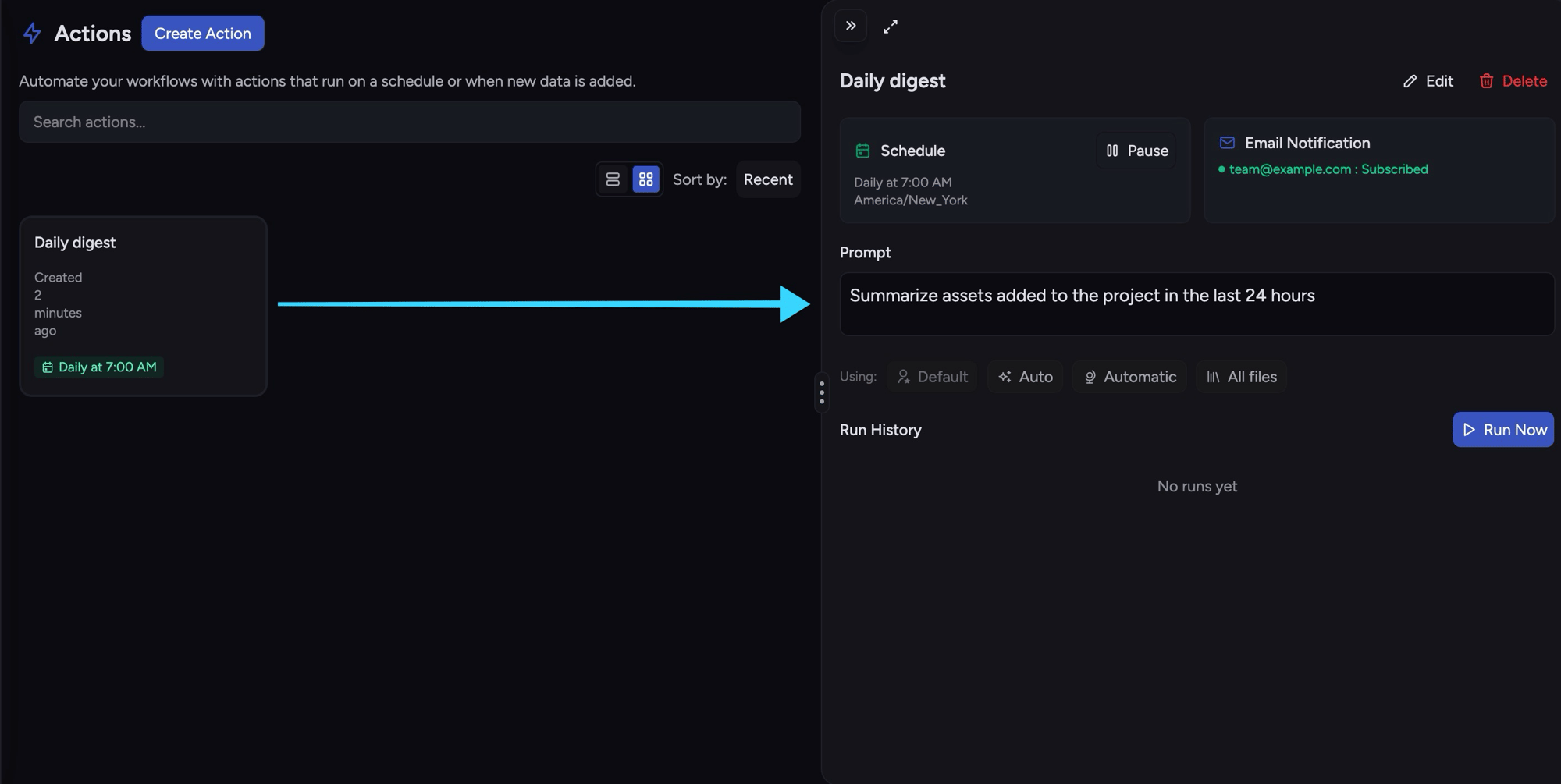
An action pairs a **prompt** with **when it runs** (a schedule or a trigger) and, optionally,
**what to do with the result** (email it). It runs against your project's knowledge, just like a
chat.
 ## Anatomy of an action
Every action has a `name` and a `prompt`, plus **exactly one** of:
* a **`schedule`** — run on a cron-like clock (e.g. every day at 07:00), or
* a **`trigger`** — run when new content lands in the project.
Optionally, an action carries a `scope` (which knowledge it may consult) and an `email` outcome
(who receives the result). Create an action and it starts enabled.
## Create a scheduled action
A schedule runs the prompt on a clock. The schedule is four fields — `hour`, `weekday`,
`month_day`, and `timezone` — where `*` matches every value.
```bash cURL theme={null}
curl -sS -X POST "$CHIEF_BASE_URL/v1/actions" \
-H "Content-Type: application/json" \
-H "X-API-Key: $CHIEF_API_KEY" \
-H "X-Project-Id: $CHIEF_PROJECT_ID" \
-d '{
"name": "Daily digest",
"prompt": "Summarize assets added to the project in 5 bullet points",
"schedule": {
"hour": "7",
"weekday": "*",
"month_day": "*",
"timezone": "America/New_York"
},
"email": {
"to": ["team@example.com"],
"subject": "ACME daily digest"
}
}'
```
```bash chief CLI theme={null}
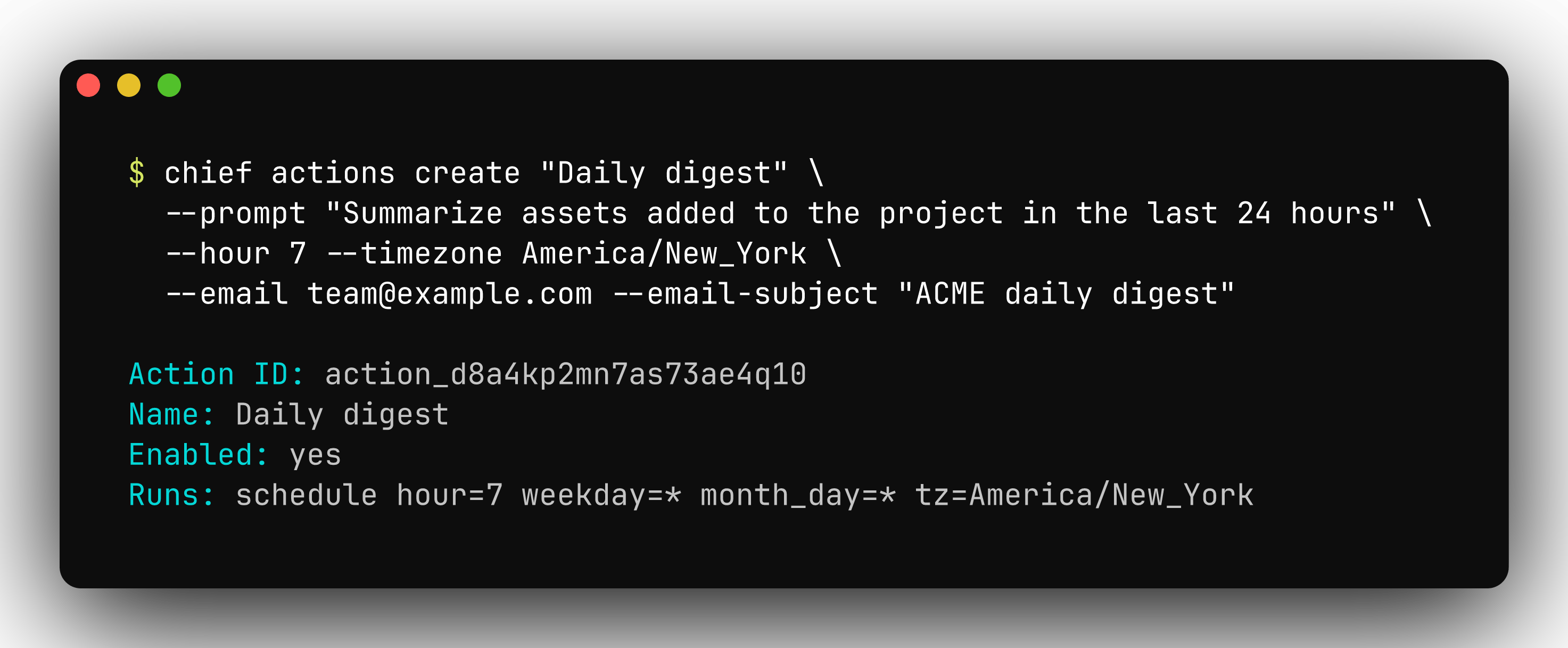
chief actions create "Daily digest" \
--prompt "Summarize assets added to the project in 5 bullet points" \
--hour 7 --timezone America/New_York \
--email team@example.com --email-subject "ACME daily digest"
```
`schedule.weekday` is `*` (every day) or a lowercase day name (`monday`..`sunday`). Omit
`--weekday` on the CLI to match `"weekday": "*"`. Cron-style ranges such as `1-5` are not
supported.
## Anatomy of an action
Every action has a `name` and a `prompt`, plus **exactly one** of:
* a **`schedule`** — run on a cron-like clock (e.g. every day at 07:00), or
* a **`trigger`** — run when new content lands in the project.
Optionally, an action carries a `scope` (which knowledge it may consult) and an `email` outcome
(who receives the result). Create an action and it starts enabled.
## Create a scheduled action
A schedule runs the prompt on a clock. The schedule is four fields — `hour`, `weekday`,
`month_day`, and `timezone` — where `*` matches every value.
```bash cURL theme={null}
curl -sS -X POST "$CHIEF_BASE_URL/v1/actions" \
-H "Content-Type: application/json" \
-H "X-API-Key: $CHIEF_API_KEY" \
-H "X-Project-Id: $CHIEF_PROJECT_ID" \
-d '{
"name": "Daily digest",
"prompt": "Summarize assets added to the project in 5 bullet points",
"schedule": {
"hour": "7",
"weekday": "*",
"month_day": "*",
"timezone": "America/New_York"
},
"email": {
"to": ["team@example.com"],
"subject": "ACME daily digest"
}
}'
```
```bash chief CLI theme={null}
chief actions create "Daily digest" \
--prompt "Summarize assets added to the project in 5 bullet points" \
--hour 7 --timezone America/New_York \
--email team@example.com --email-subject "ACME daily digest"
```
`schedule.weekday` is `*` (every day) or a lowercase day name (`monday`..`sunday`). Omit
`--weekday` on the CLI to match `"weekday": "*"`. Cron-style ranges such as `1-5` are not
supported.
 Response (`201`):
```json theme={null}
{
"action_id": "action_d8aad64dib2c7m3ae7m0",
"name": "Daily digest",
"prompt": "Summarize assets added to the project in 5 bullet points",
"schedule": { "hour": "7", "weekday": "*", "month_day": "*", "timezone": "America/New_York" },
"email": { "to": ["team@example.com"], "subject": "ACME daily digest" },
"enabled": true,
"created_at": "2026-05-23T10:15:30Z",
"modified_at": "2026-05-23T10:15:30Z"
}
```
## Create a trigger action
A trigger runs the prompt when content lands instead of on a clock. `kind` is `new` (the run is
scoped to just the added asset) or `all` (the run uses the action's full scope). A trigger is
mutually exclusive with a schedule — send one or the other.
```bash cURL theme={null}
curl -sS -X POST "$CHIEF_BASE_URL/v1/actions" \
-H "Content-Type: application/json" \
-H "X-API-Key: $CHIEF_API_KEY" \
-H "X-Project-Id: $CHIEF_PROJECT_ID" \
-d '{
"name": "Triage incoming",
"prompt": "Classify this document and attach the right label",
"trigger": { "kind": "new" },
"scope": { "label_ids": ["label_d8aad64dib2c7m3ae7k0"] }
}'
```
```bash chief CLI theme={null}
chief actions create "Triage incoming" \
--prompt "Classify this document and attach the right label" \
--trigger new --label-id label_d8aad64dib2c7m3ae7k0
```
## Scope
`scope` bounds the knowledge a run may consult. For actions, only `asset_ids`, `label_ids`,
`concept_ids`, and `view_ids` apply. Tenancy always comes from `X-Project-Id` — scope narrows
*within* the project, it doesn't cross projects. Leave `scope` off to let the run use the whole
project.
## The email outcome
Add an `email` outcome and Chief sends the run's result when it completes. `to` is a list of
recipients; `subject` is optional. Set `include_date_in_subject` to append the completion
timestamp (in the schedule's timezone) to the subject line.
```json theme={null}
{
"email": {
"to": ["team@example.com", "lead@example.com"],
"subject": "ACME daily digest",
"include_date_in_subject": true
}
}
```
Response (`201`):
```json theme={null}
{
"action_id": "action_d8aad64dib2c7m3ae7m0",
"name": "Daily digest",
"prompt": "Summarize assets added to the project in 5 bullet points",
"schedule": { "hour": "7", "weekday": "*", "month_day": "*", "timezone": "America/New_York" },
"email": { "to": ["team@example.com"], "subject": "ACME daily digest" },
"enabled": true,
"created_at": "2026-05-23T10:15:30Z",
"modified_at": "2026-05-23T10:15:30Z"
}
```
## Create a trigger action
A trigger runs the prompt when content lands instead of on a clock. `kind` is `new` (the run is
scoped to just the added asset) or `all` (the run uses the action's full scope). A trigger is
mutually exclusive with a schedule — send one or the other.
```bash cURL theme={null}
curl -sS -X POST "$CHIEF_BASE_URL/v1/actions" \
-H "Content-Type: application/json" \
-H "X-API-Key: $CHIEF_API_KEY" \
-H "X-Project-Id: $CHIEF_PROJECT_ID" \
-d '{
"name": "Triage incoming",
"prompt": "Classify this document and attach the right label",
"trigger": { "kind": "new" },
"scope": { "label_ids": ["label_d8aad64dib2c7m3ae7k0"] }
}'
```
```bash chief CLI theme={null}
chief actions create "Triage incoming" \
--prompt "Classify this document and attach the right label" \
--trigger new --label-id label_d8aad64dib2c7m3ae7k0
```
## Scope
`scope` bounds the knowledge a run may consult. For actions, only `asset_ids`, `label_ids`,
`concept_ids`, and `view_ids` apply. Tenancy always comes from `X-Project-Id` — scope narrows
*within* the project, it doesn't cross projects. Leave `scope` off to let the run use the whole
project.
## The email outcome
Add an `email` outcome and Chief sends the run's result when it completes. `to` is a list of
recipients; `subject` is optional. Set `include_date_in_subject` to append the completion
timestamp (in the schedule's timezone) to the subject line.
```json theme={null}
{
"email": {
"to": ["team@example.com", "lead@example.com"],
"subject": "ACME daily digest",
"include_date_in_subject": true
}
}
```
 ## Enable, disable, and update
A new action starts enabled. Pause one without deleting it, then resume it later:
```bash cURL theme={null}
curl -sS -X POST "$CHIEF_BASE_URL/v1/actions/$ACTION_ID/disable" \
-H "X-API-Key: $CHIEF_API_KEY" \
-H "X-Project-Id: $CHIEF_PROJECT_ID"
curl -sS -X POST "$CHIEF_BASE_URL/v1/actions/$ACTION_ID/enable" \
-H "X-API-Key: $CHIEF_API_KEY" \
-H "X-Project-Id: $CHIEF_PROJECT_ID"
```
```bash chief CLI theme={null}
chief actions disable action_d8aad64dib2c7m3ae7m0
chief actions enable action_d8aad64dib2c7m3ae7m0
```
Updating an action replaces it wholesale. `POST /v1/actions/{id}` (and `chief actions update`)
overwrite every field — any schedule, trigger, scope, or email you don't resend is cleared.
Send the full desired state, not a partial patch.
## List actions
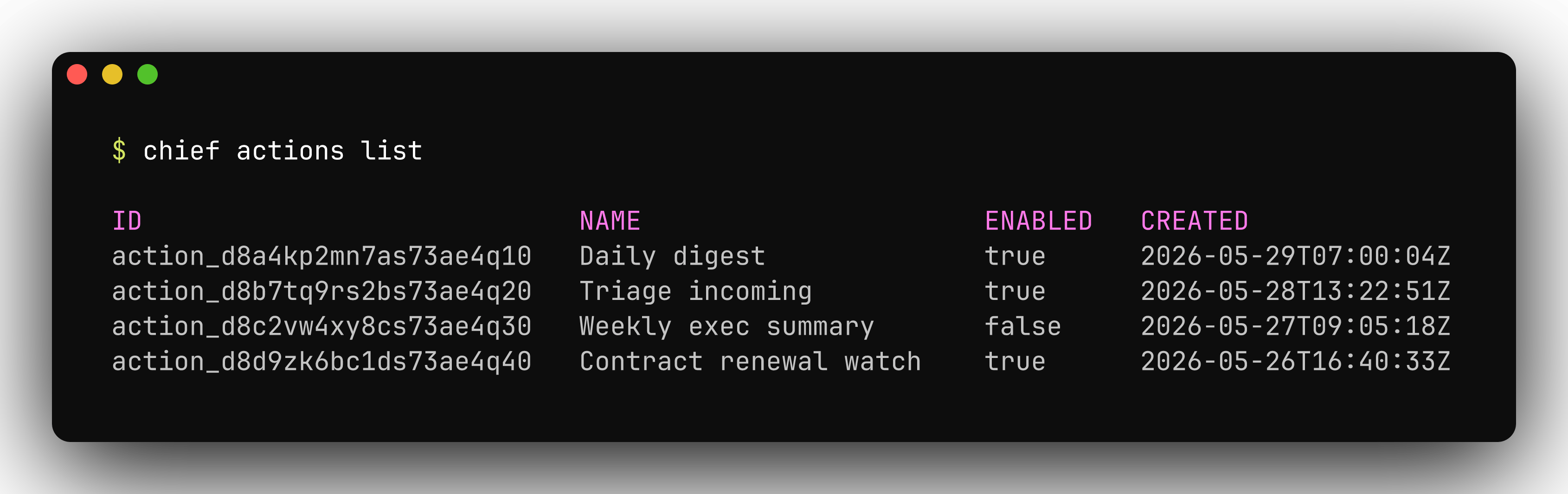
`GET /v1/actions` returns the project's actions, newest first, in the standard list envelope
(`data`, `first_id`, `last_id`, `has_more`). The per-project action count is bounded, so
`has_more` is always `false` today.
```bash theme={null}
chief actions list
```
## Enable, disable, and update
A new action starts enabled. Pause one without deleting it, then resume it later:
```bash cURL theme={null}
curl -sS -X POST "$CHIEF_BASE_URL/v1/actions/$ACTION_ID/disable" \
-H "X-API-Key: $CHIEF_API_KEY" \
-H "X-Project-Id: $CHIEF_PROJECT_ID"
curl -sS -X POST "$CHIEF_BASE_URL/v1/actions/$ACTION_ID/enable" \
-H "X-API-Key: $CHIEF_API_KEY" \
-H "X-Project-Id: $CHIEF_PROJECT_ID"
```
```bash chief CLI theme={null}
chief actions disable action_d8aad64dib2c7m3ae7m0
chief actions enable action_d8aad64dib2c7m3ae7m0
```
Updating an action replaces it wholesale. `POST /v1/actions/{id}` (and `chief actions update`)
overwrite every field — any schedule, trigger, scope, or email you don't resend is cleared.
Send the full desired state, not a partial patch.
## List actions
`GET /v1/actions` returns the project's actions, newest first, in the standard list envelope
(`data`, `first_id`, `last_id`, `has_more`). The per-project action count is bounded, so
`has_more` is always `false` today.
```bash theme={null}
chief actions list
```
 ## Related endpoints
See the **API reference** tab under **Actions** for the full request and response schemas, or
[What you can build](/what-you-can-build) for where actions fit among the things you can ship.
## Related endpoints
See the **API reference** tab under **Actions** for the full request and response schemas, or
[What you can build](/what-you-can-build) for where actions fit among the things you can ship.