

chief-mcp is a
Model Context Protocol server for Chief. It
lets any MCP client — Claude Code, Claude Desktop, Cursor, or Codex — manage
chats, assets, labels, actions, live sessions, skills, and memories directly in
your Chief project.
It is a single static Go binary built on the Go SDK and talks
only to the Chief public REST API.
To get started you need three things: a Chief
Personal Access Token, the chief-mcp binary
(install below), and an MCP client —
Claude Code,
Claude Desktop, Cursor,
Codex, or
VS Code.
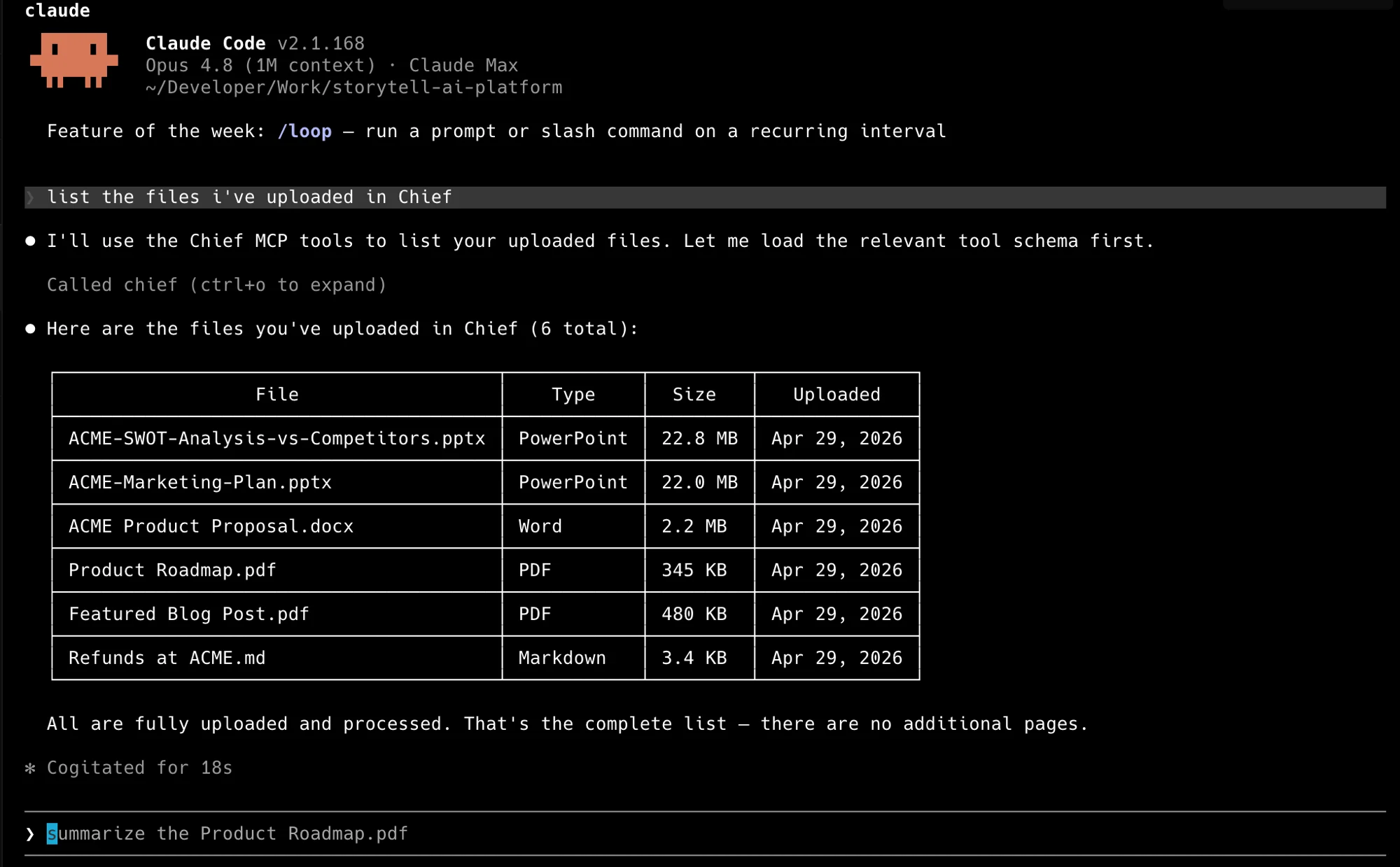
Claude Code calling Chief over MCP — one prompt, your real files.
Install
Homebrew is the recommended install on macOS:go install requires a Go toolchain. Prebuilt
binaries for each platform are on the
releases page.
Credentials
A Chief Personal Access Token is required and sent as the API key. Most tools are project-scoped and also need a project id. Pass credentials as flags or read them from the environment:
Create a token in the Chief app under Settings → API tokens — see
Introduction for tokens and project ids.
Security
- Treat your Personal Access Token like a password. Pass it through
CHIEF_API_KEYrather than committing it into a client config file. - A token only reaches the projects it is scoped to. Set
CHIEF_PROJECT_ID(or theX-Project-Idheader in HTTP mode) to bound the server to one project. --insecuredisables TLS verification and is for local development only.
Tools
The server exposes 44 tools across seven resources.What you can ask it
Once the server is connected you drive it in plain language — your agent picks the right tools and chains them. The tools above map to requests like:- “What did we decide about pricing in the last few chats?” — the agent calls
list_chatsandget_chatto read recent conversations, then answers from them. - “Upload every PDF in this folder and tag them
contracts.” —upload_fileper file, thencreate_labelandattach_label. - “Summarize the most recent live session.” —
list_sessions, thenget_session. - “Create an action that emails me a summary of new assets every morning.” —
create_actionwith a schedule. - “Remember that I always want answers in metric units.” —
create_memory.
CHIEF_PROJECT_ID.
Transports
chief-mcp runs as your own process — locally over stdio (the common case) or
self-hosted over HTTP. There is no vendor-hosted Chief MCP endpoint; you run the
binary. Two transports are selected by subcommand:
- stdio (default) — for a local agent that launches the binary as a subprocess.
- http — for remote or web-based agents. Each request authenticates from its
headers: the API key as a Bearer token in
Authorization(orX-API-Key), and the project inX-Project-Id.
In HTTP mode the server authenticates each request from its headers, so
--api-key applies to stdio only. --project sets the default project for
requests that omit X-Project-Id.Configure a client
The fastest path is thechief CLI, which writes a
ready-to-paste config prefilled with the installed binary path and your
credentials. Install the CLI too, then run:
chief-mcp? Use the hand-written snippets on
MCP clients instead — they need no extra tooling.
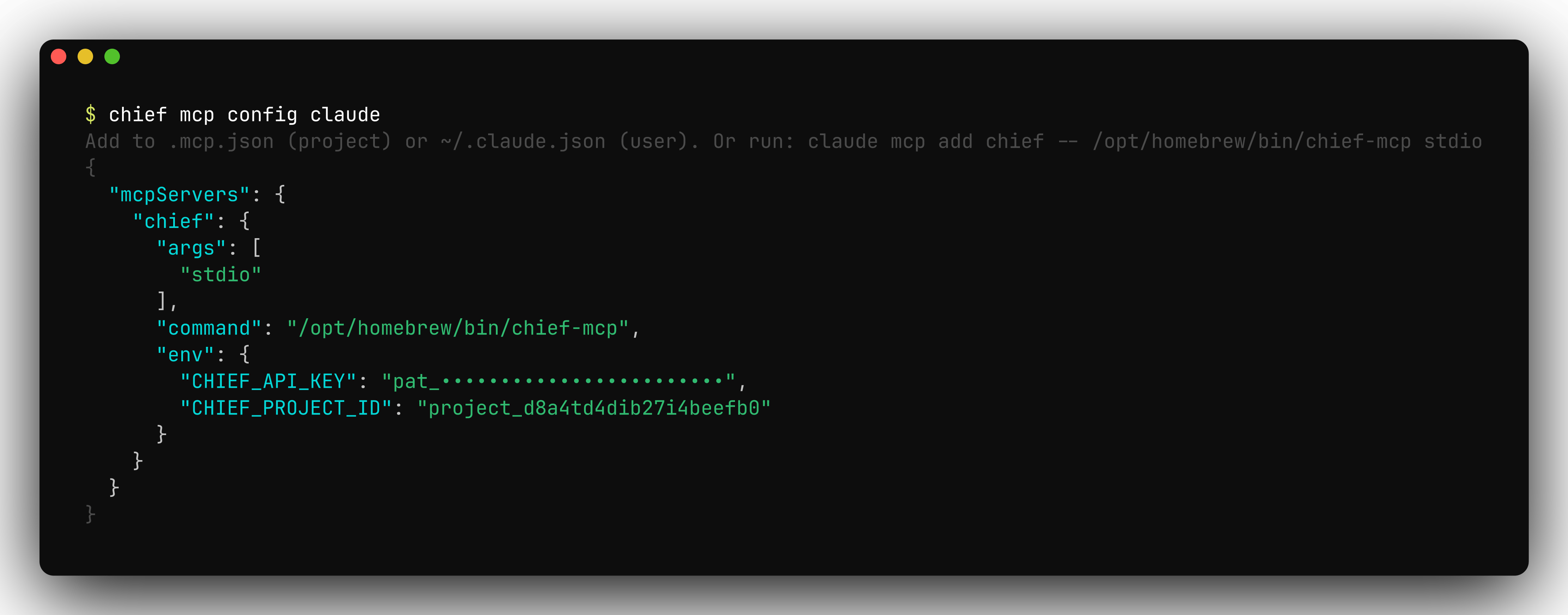
chief mcp config prints a ready-to-paste server snippet with your credentials filled in.
Troubleshooting
- Authentication failed — confirm
CHIEF_API_KEYis set in the server’s environment (or sent as a header in HTTP mode) and that the token is valid.chief doctorchecks credentials and connectivity. - A tool returns “not found” — confirm the id exists in the project the
server is scoped to (
CHIEF_PROJECT_ID). A wrong or missing project id is the usual cause. - The client doesn’t list the server or its tools — restart the client session. MCP servers are launched once and don’t hot-reload after a config change.
- Inspect the traffic — add
--debugto dump every HTTP request and response the server makes.