

chief CLI puts your whole Chief project in your terminal. Ask a question and
read the answer rendered in place, upload a folder of documents, schedule an
automation, or pull raw JSON into a script — without writing any API code.
It renders styled output at a prompt and switches to machine-readable JSON when piped
or run with --json, so the same command works at a prompt, in a script, in CI, and
behind an AI coding agent. New to it? The quickstart below gets you from
install to your first answer in three commands.
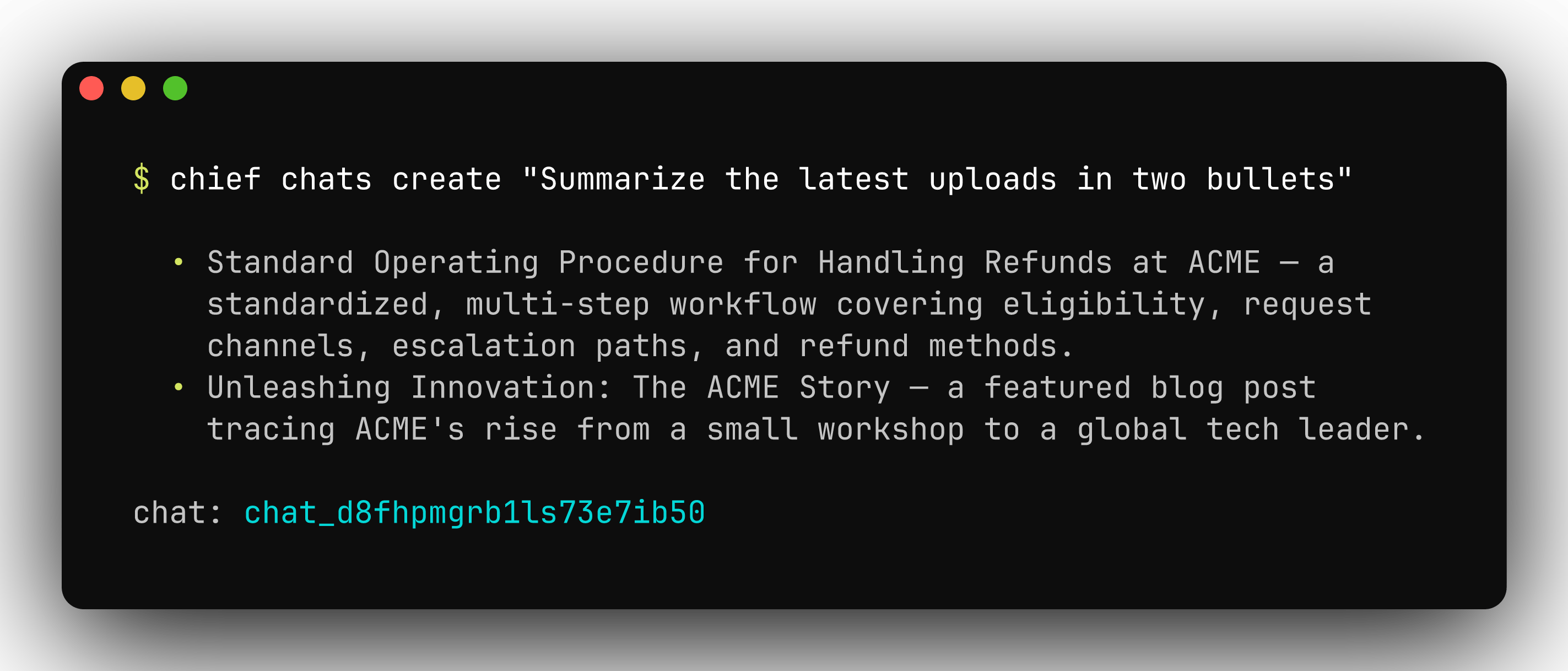
Ask a question and get a rendered answer, right from your terminal.
Install
Homebrew is the recommended install on macOS:go install puts a chief binary in $(go env GOPATH)/bin — make sure that
directory is on your PATH. Prebuilt binaries for Linux, macOS, and Windows
(amd64 and arm64) are on the
releases page.
Verify the install:
Update
PATH.
Quickstart
chief login asks for your API key and project id. Create a token in the Chief
app under Settings → API tokens — see
Introduction for where to find both.
Already have an API key and project id? Skip the prompts:
chief --help at any time to see every command — each maps to a Chief API
resource:
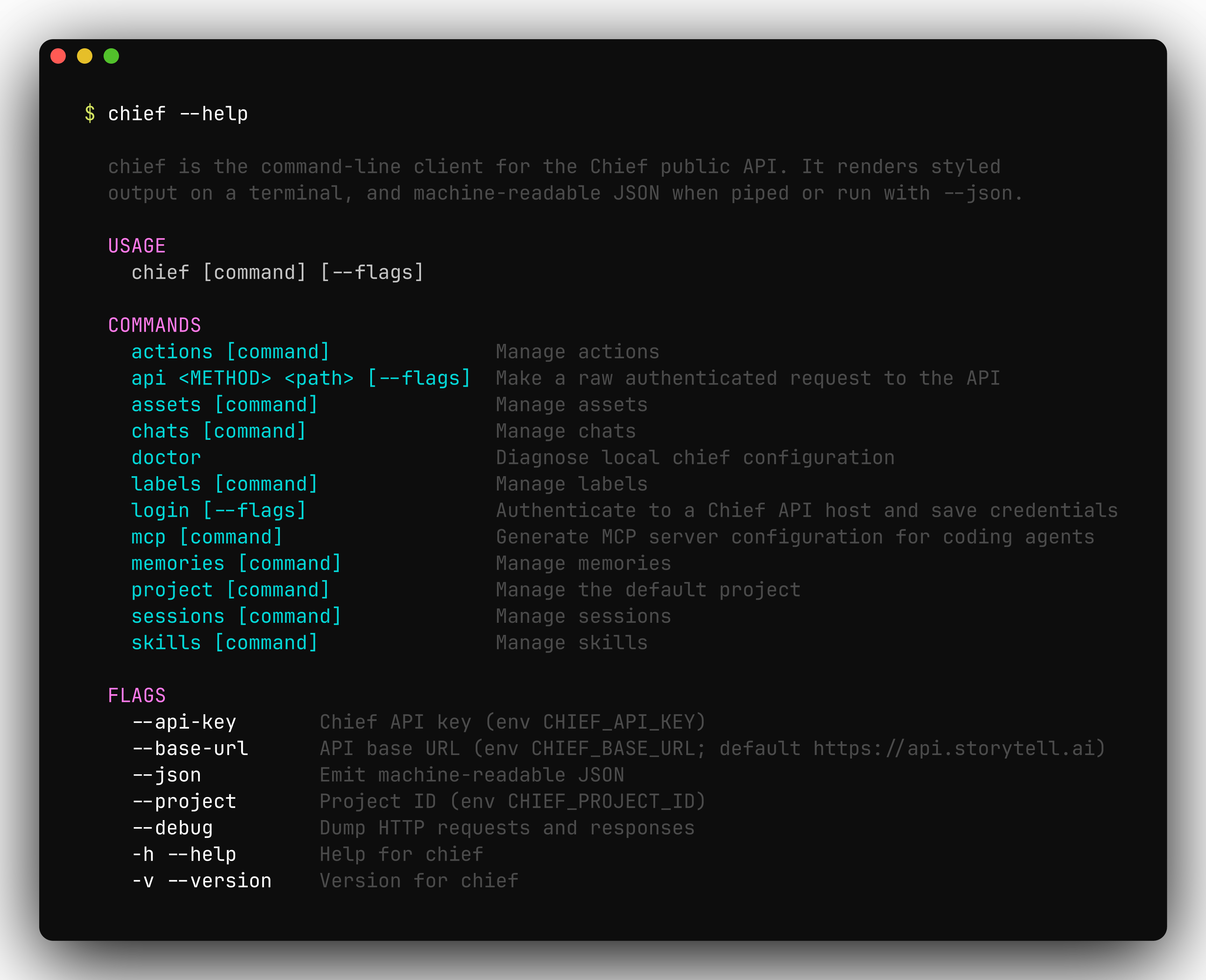
chief --help lists every command, each mapping to a Chief API resource.
Authentication & configuration
chief authenticates with a Chief API key (a Personal Access Token) scoped to a
project. Settings resolve with the precedence flag > environment variable >
saved credentials > built-in default, evaluated independently for each value.
chief login verifies the key against the API and writes it to a credentials
file at $XDG_CONFIG_HOME/chief/credentials.json (or
~/.config/chief/credentials.json when XDG_CONFIG_HOME is unset). The file
holds a secret, so it is created with 0600 permissions inside a 0700
directory.
chief doctor reports where each effective setting came from, whether the
credentials file is parseable and correctly permissioned, and whether the API is
reachable:
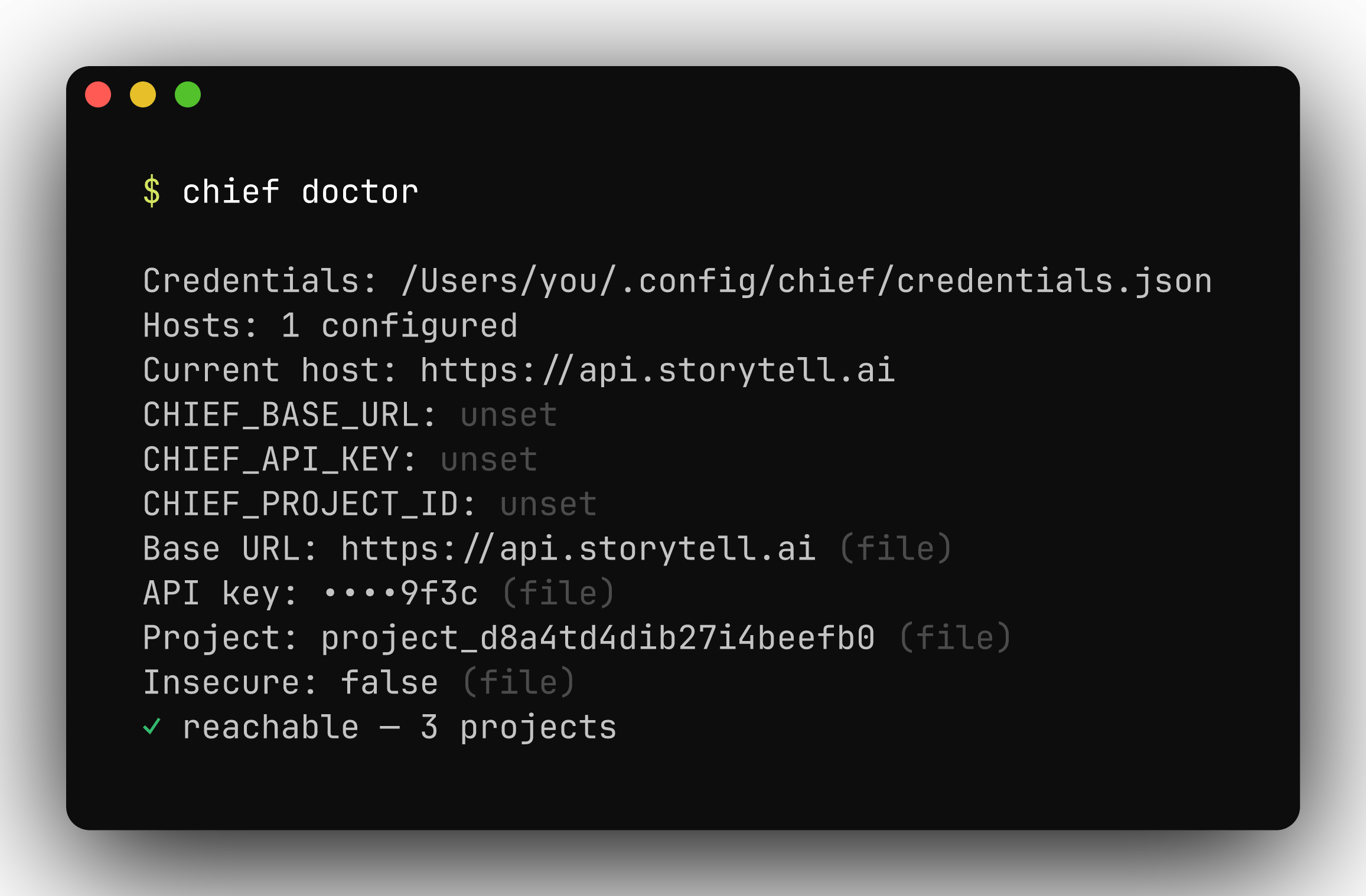
chief doctor shows each setting, its source, and whether the API is reachable.
Shell completion
chief ships completions for bash, zsh, fish, and PowerShell. Generate a script
with chief completion <shell> and load it from your shell profile — for zsh:
chief completion --help for the per-shell install steps.
Output & scripting
Every command renders styled, human-readable output on a terminal and switches to JSON when you add--json or pipe the output. JSON is pretty-printed on a
TTY and compact when piped, so it composes cleanly with tools like
jq.
0 on success and non-zero on failure. Delete commands prompt for
confirmation on an interactive terminal; pass --force (or -f) to skip the
prompt, which is also the default when output is piped or --json is set. Set
ACCESSIBLE=1 to degrade interactive prompts to plain text for screen readers.
Continuous integration
chief runs unattended in CI. Pass credentials as environment variables rather
than flags — flags can leak into process listings and build logs:
- Output is non-interactive automatically when piped or
--jsonis set: confirmation prompts are skipped and JSON is emitted compact. - A non-zero exit on any command fails the step, so failures surface in the job.
- Override
CHIEF_BASE_URLto run the same commands against a different API base URL.
Raw API access
chief api sends an authenticated request to any endpoint and prints the JSON
response. Authentication and content-type headers are applied for you — useful
for endpoints the CLI doesn’t yet wrap, or for debugging.
--debug to any command to dump the full HTTP request and response.
Global flags
These persistent flags apply to every command:Next steps
- Command reference — every command, grouped by resource
- MCP server — generate client config with
chief mcp config