

chief help or chief <command> --help for full, generated usage at any
time. This page summarizes the command tree and the most common flags.
Chats
Start a conversation, send follow-ups, and read transcripts. By defaultcreate
and send wait for the assistant’s response and render it as Markdown; pass
--no-wait to return as soon as the turn is accepted.
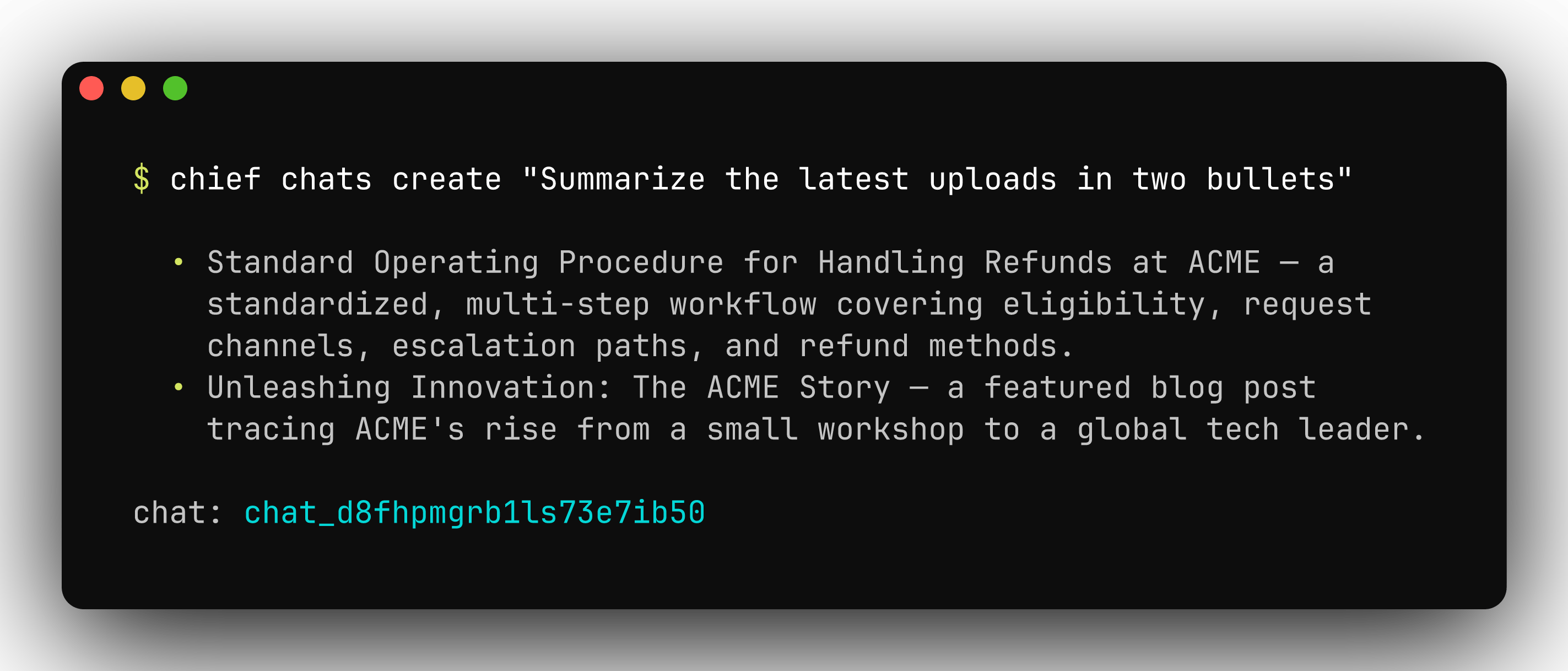
chief chats create renders the assistant's answer inline.
create and send):
Assets
Upload a single file or a whole directory, then list, inspect, and manage what’s in your project. Uploads run in parallel, content-identical files are skipped server-side, and by default the CLI waits for each file to finish ingesting.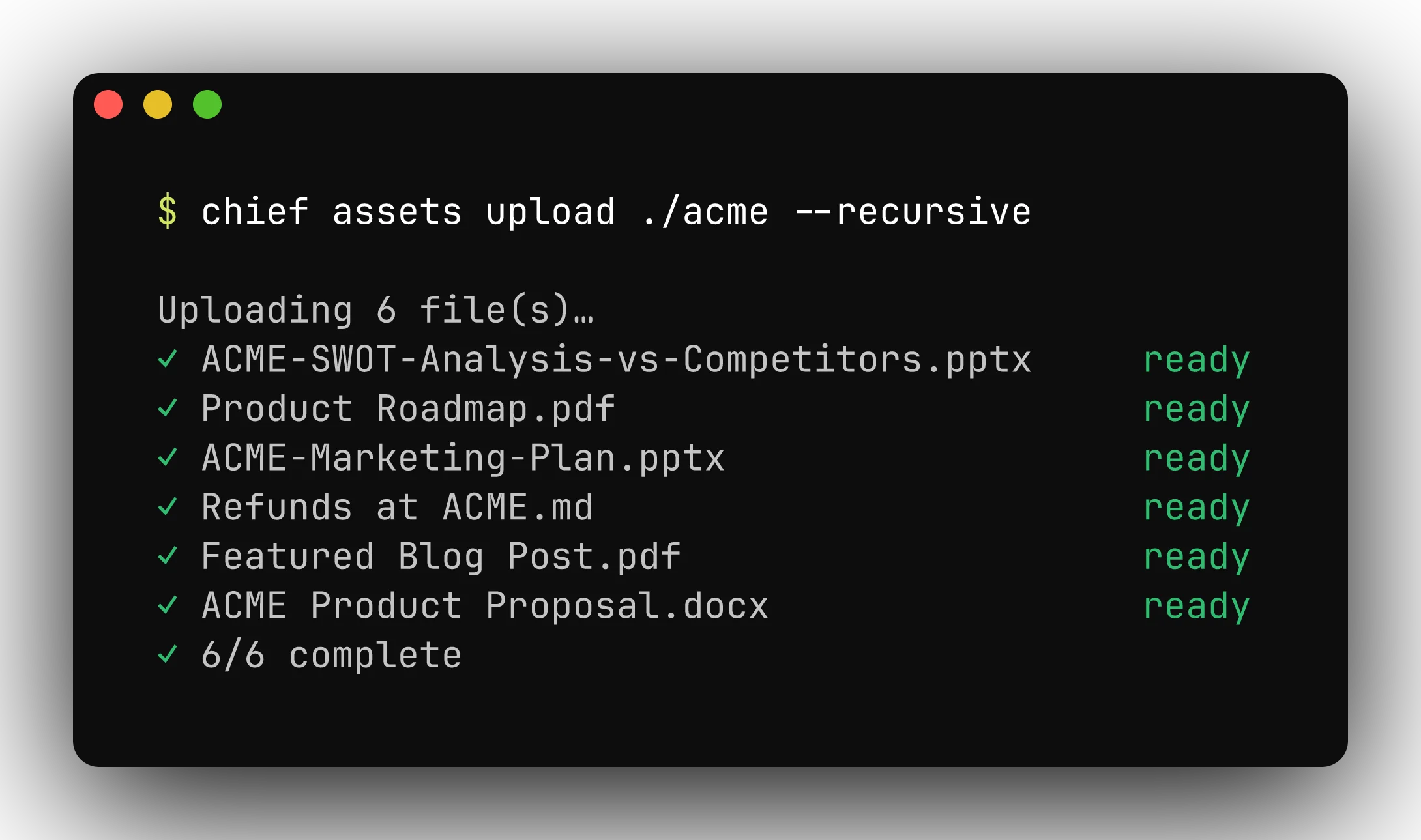
Uploads run in parallel, skip content-identical files, and wait for ingest by default.
chief assets list then shows each file’s ingest status at a glance:
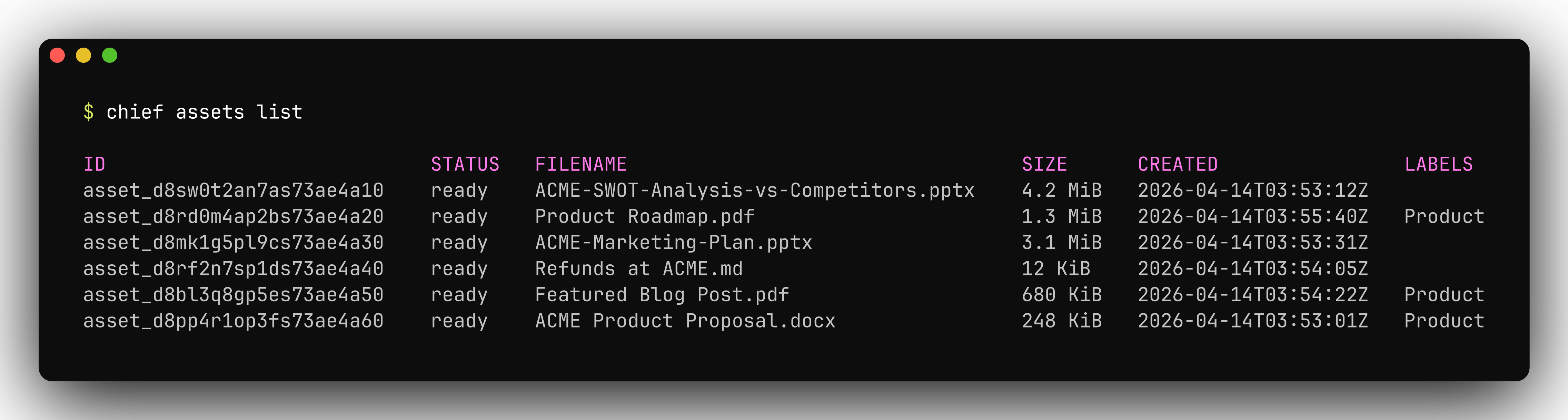
chief assets list shows each file's ingest status at a glance.
Actions
Actions are automations that run a prompt on a schedule or in response to events, optionally emailing the result.update replaces an action wholesale —
any schedule, trigger, scope, or email not passed as a flag is cleared.
chief actions list shows every automation, its schedule, and status:
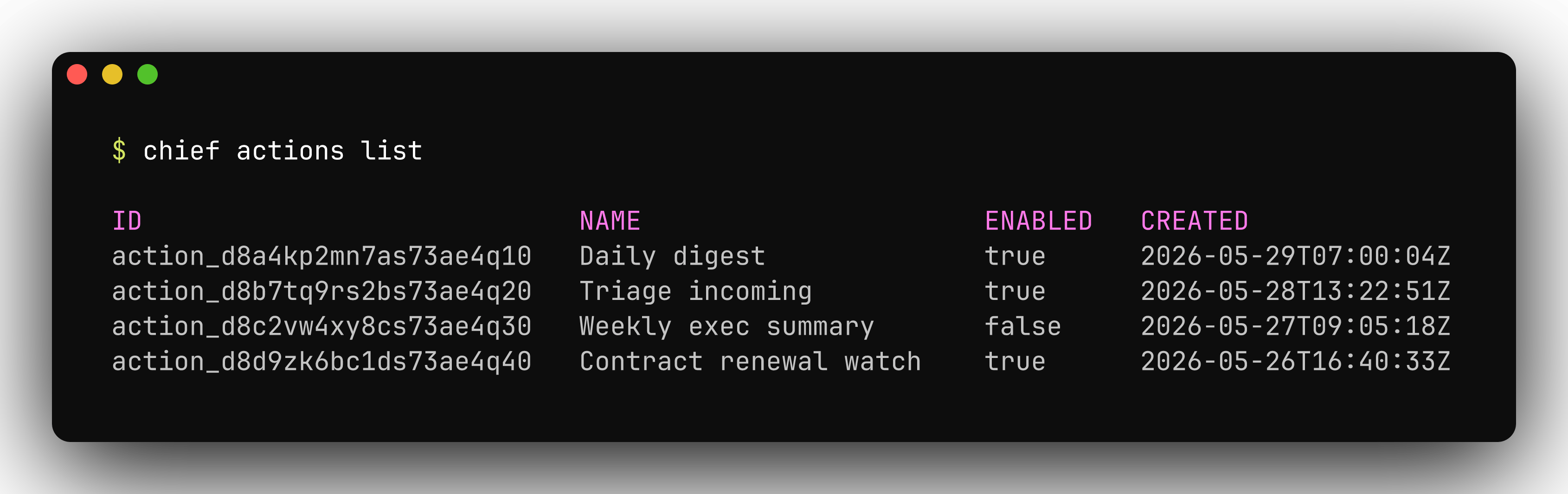
chief actions list shows each automation, its schedule, and status.
Labels
Labels organize the assets in a project. Create one with an optional color and icon, attach it to an asset by name, and detach or delete it by id.chief labels list shows every label in the project:
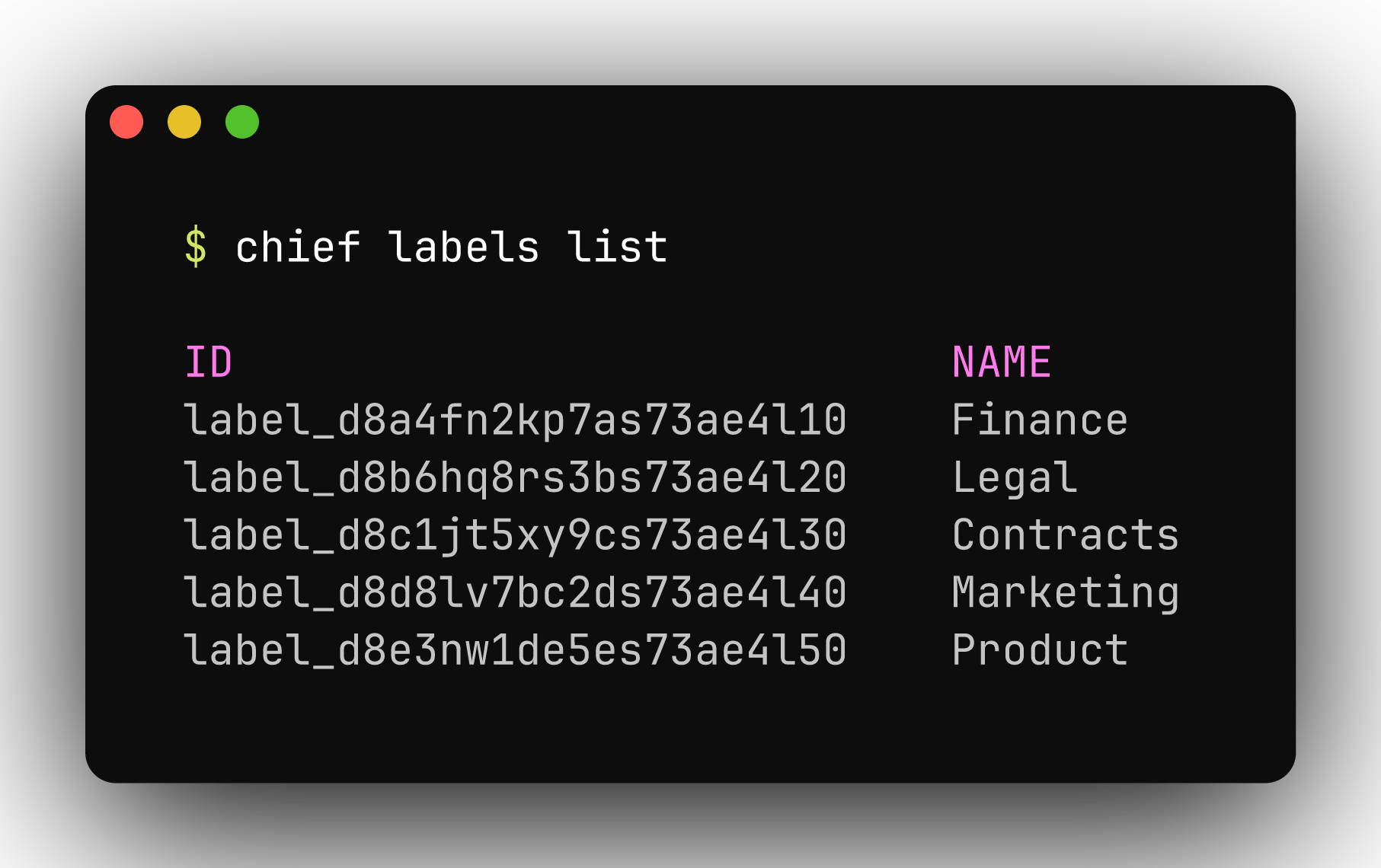
chief labels list shows every label in the project.
Skills
Skills are reusable instructions (a prompt fragment, a persona, a procedure) you enable per chat turn withchief chats … --skill <name>.
chief skills list shows your reusable instructions and whether each is enabled:
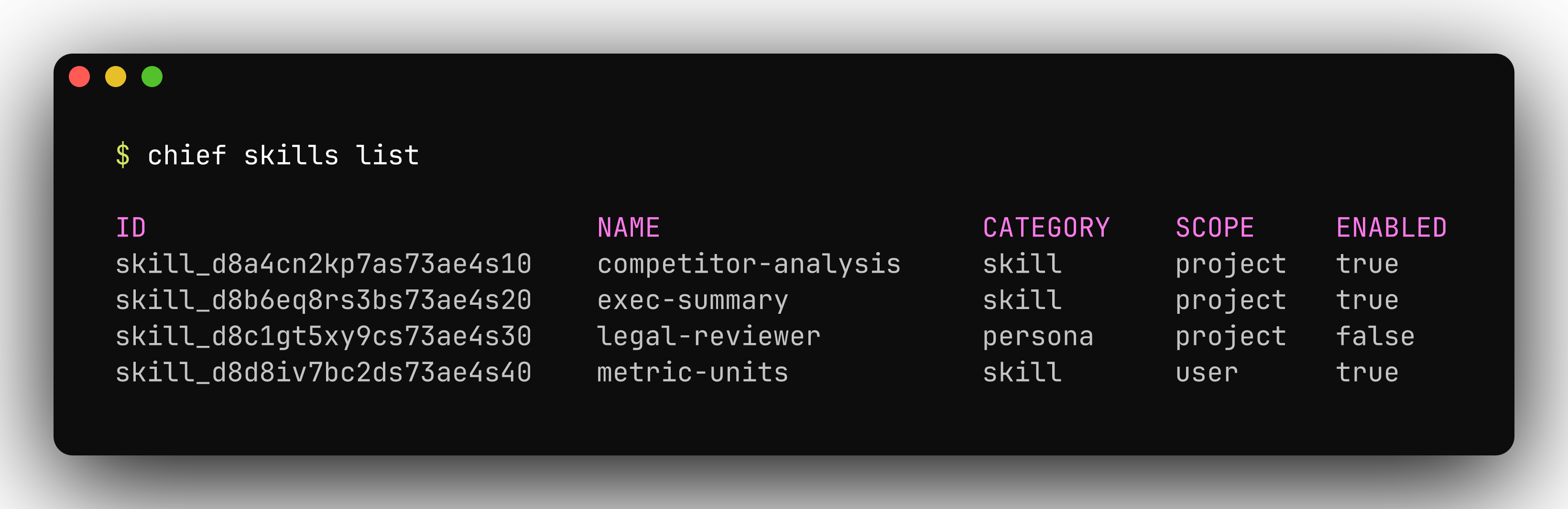
chief skills list shows your reusable instructions and whether each is enabled.
Memories
Memories are durable facts the assistant carries across conversations — identity, preferences, standing instructions.chief memories list shows the facts the assistant carries across chats:
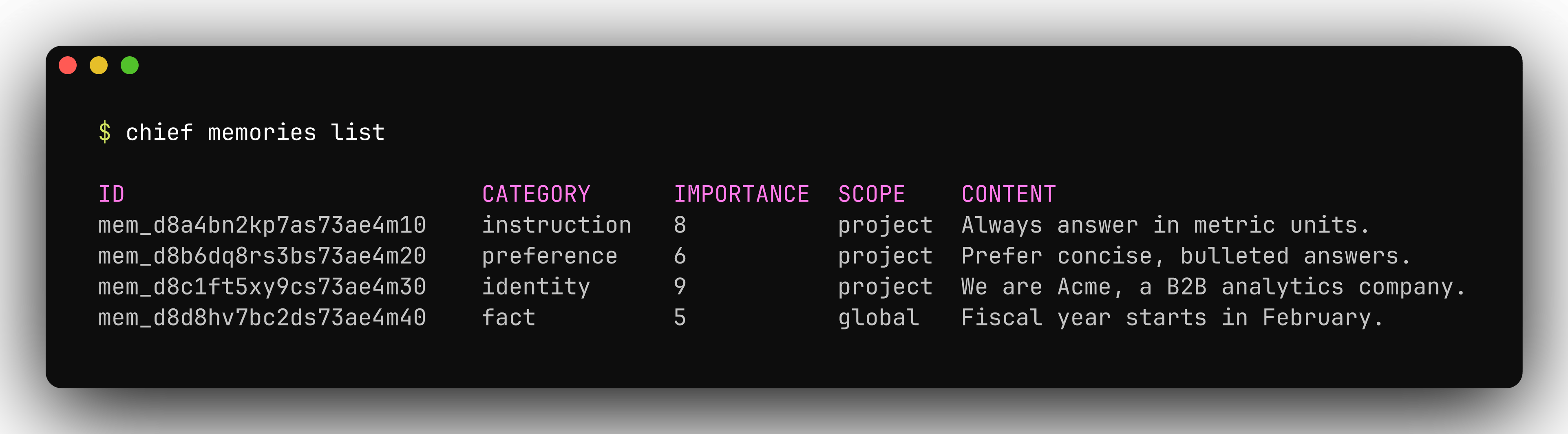
chief memories list shows the facts the assistant carries across chats.
Sessions
Live sessions are real-time working sessions in your project. List them, read one in full, rename or annotate it, or delete it.chief sessions list shows recent live sessions in the project:
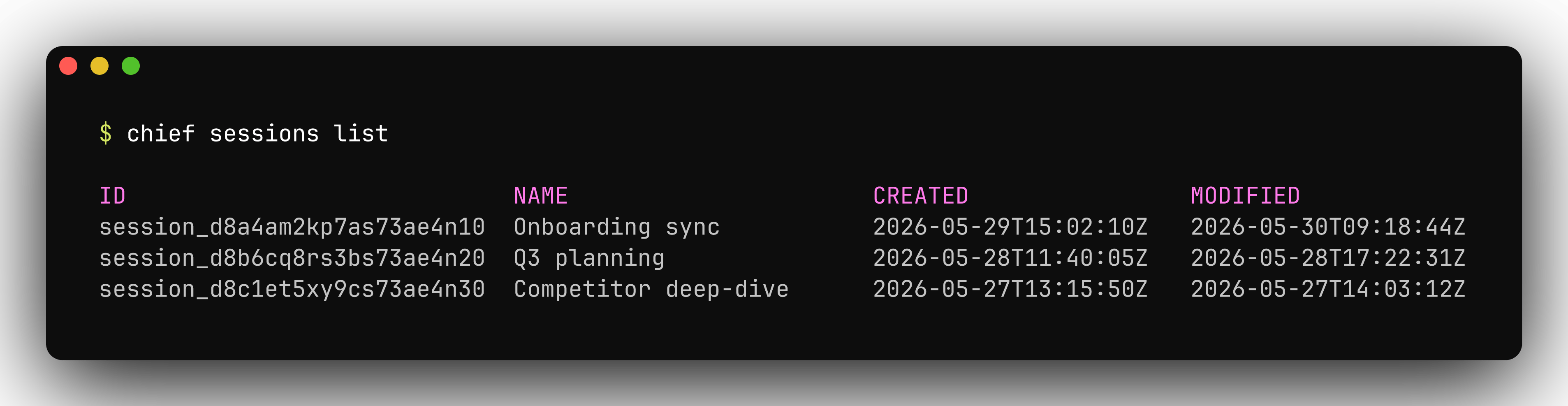
chief sessions list shows recent live sessions in the project.
Project
Manage which project the CLI reads from and writes to.list shows the projects
your token can reach; switch sets the default for every later command.
chief project list shows the projects your token can reach, with their ids:
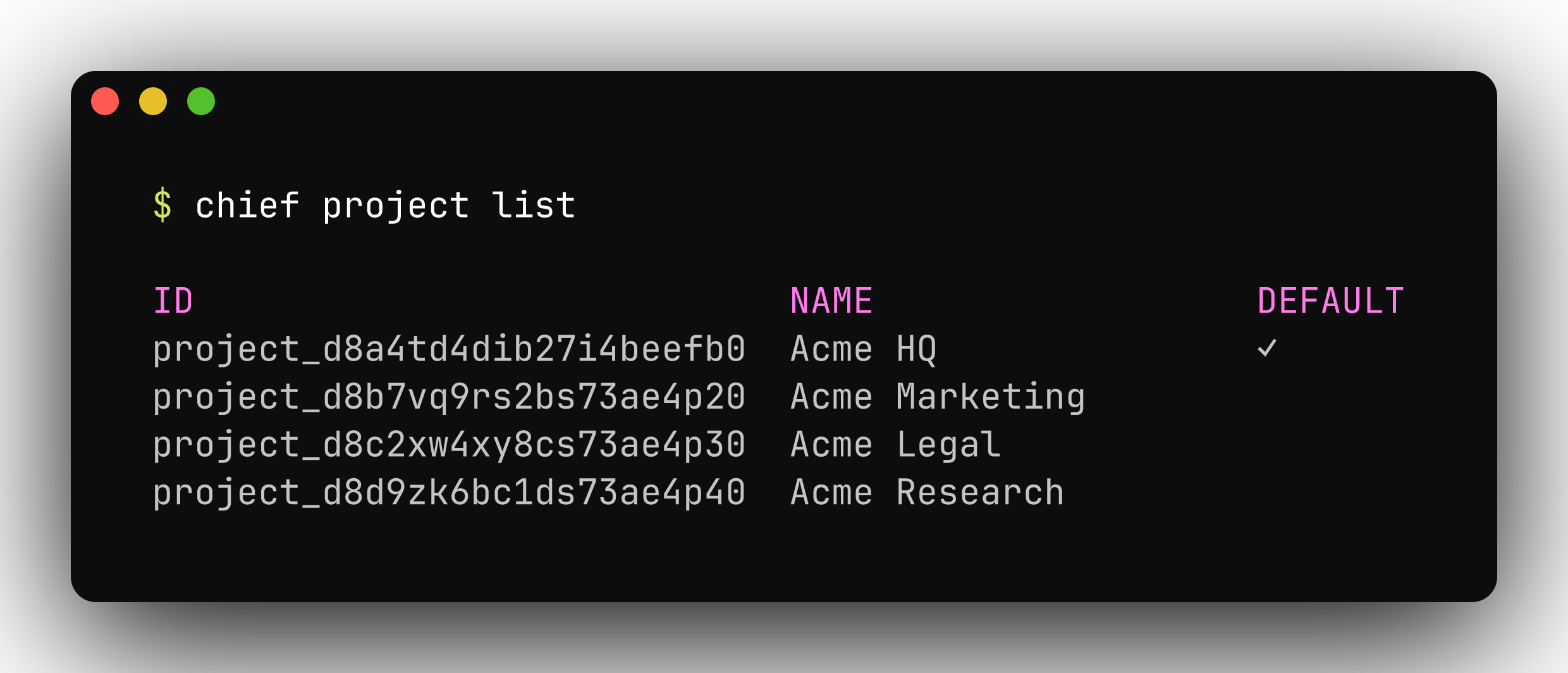
chief project list shows the projects your token can reach — and their ids.
MCP
chief mcp config <harness> prints a ready-to-paste MCP server snippet for a
coding agent, prefilled with your current credentials. Supported harnesses:
claude, cursor, and codex. See MCP server for
details.
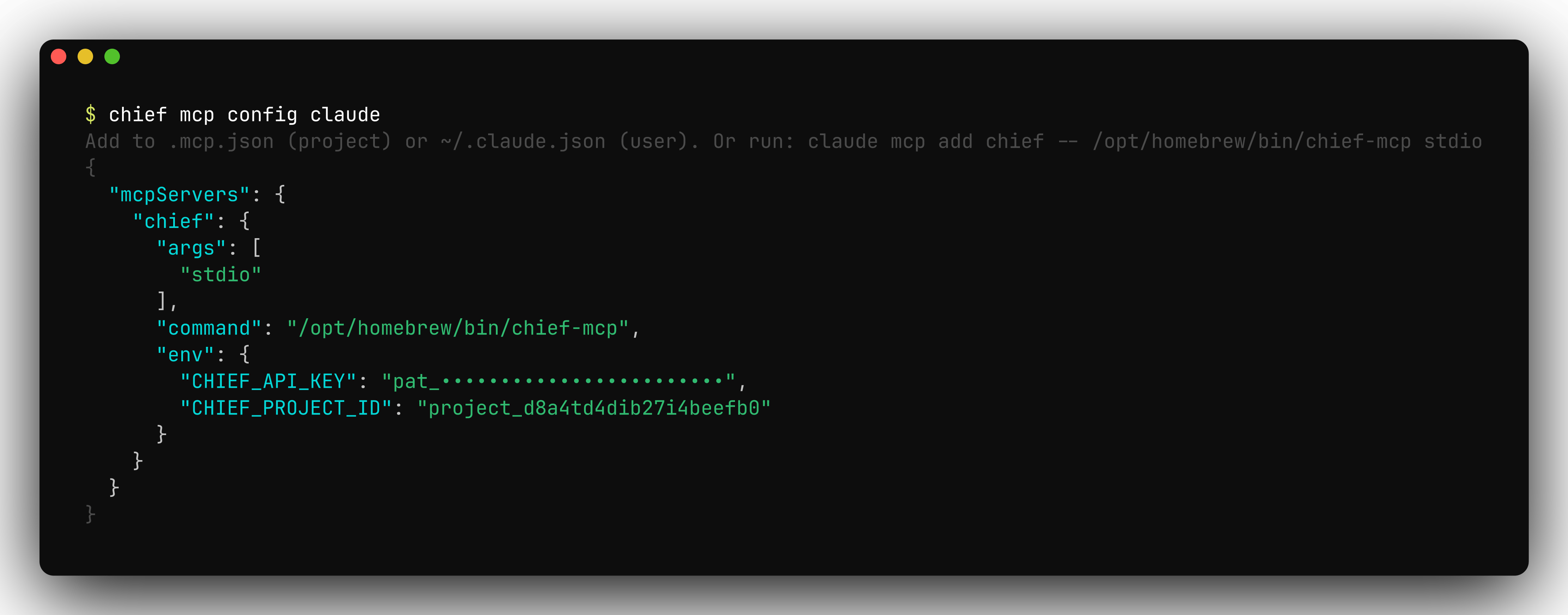
chief mcp config prints a ready-to-paste server snippet with your credentials filled in.